Measurable IEP goals, from first draft to progress report.
A free library of goal examples, a builder that keeps every goal measurable, matching data sheets, and a caseload workspace that runs in your browser.
- goal templates
- 200
- goal templates
- skills across six areas
- 35
- skills across six areas
- data-sheet formats
- 8
- data-sheet formats
Start from a goal that already measures something
200 templates across 35 skills. Search in your own words; every template opens in the builder with a matching data sheet.
Academic
Executive Function
Every goal gets a matching data sheet. Blank sheets are free to download:Accuracy trackerOpportunity trackerFrequency & rate trackerDuration trackerLatency trackerRubric trackerTask-analysis checklistReading fluency tracker
What makes a goal measurable
Under what conditions the student will do something observable, how well, and how it will be measured. Each part is its own field, so you can change one without rewriting the rest.
- 01
Find a skill
Search or browse by domain, skill, grade band, and measurement type.
- 02
Customize the goal
Edit the condition, behavior, support, criterion, and mastery rule. The preview updates as you type.
- 03
Check measurability
Ten transparent checks flag vague wording, missing criteria, and baselines that don't match the target.
- 04
Measure it
Generate objectives and a data sheet built for the goal's measure. Copy, print, or download.
Baseline in this example: 210 seconds. Illustrative numbers only.
Live preview
By the annual IEP review date, after the teacher gives the direction to begin an independent written task, the student will begin the assigned task by writing or marking a first response independently within 60 seconds, on 4 of 5 consecutive observed work periods, as measured by latency recording collected two to three times per week.
- Condition
- Observable behavior
- Criterion
- Measurement method
Build a goal from scratch →Check a goal you already wrote →Read the guide →
Caseload workspace
Run your caseload in one place
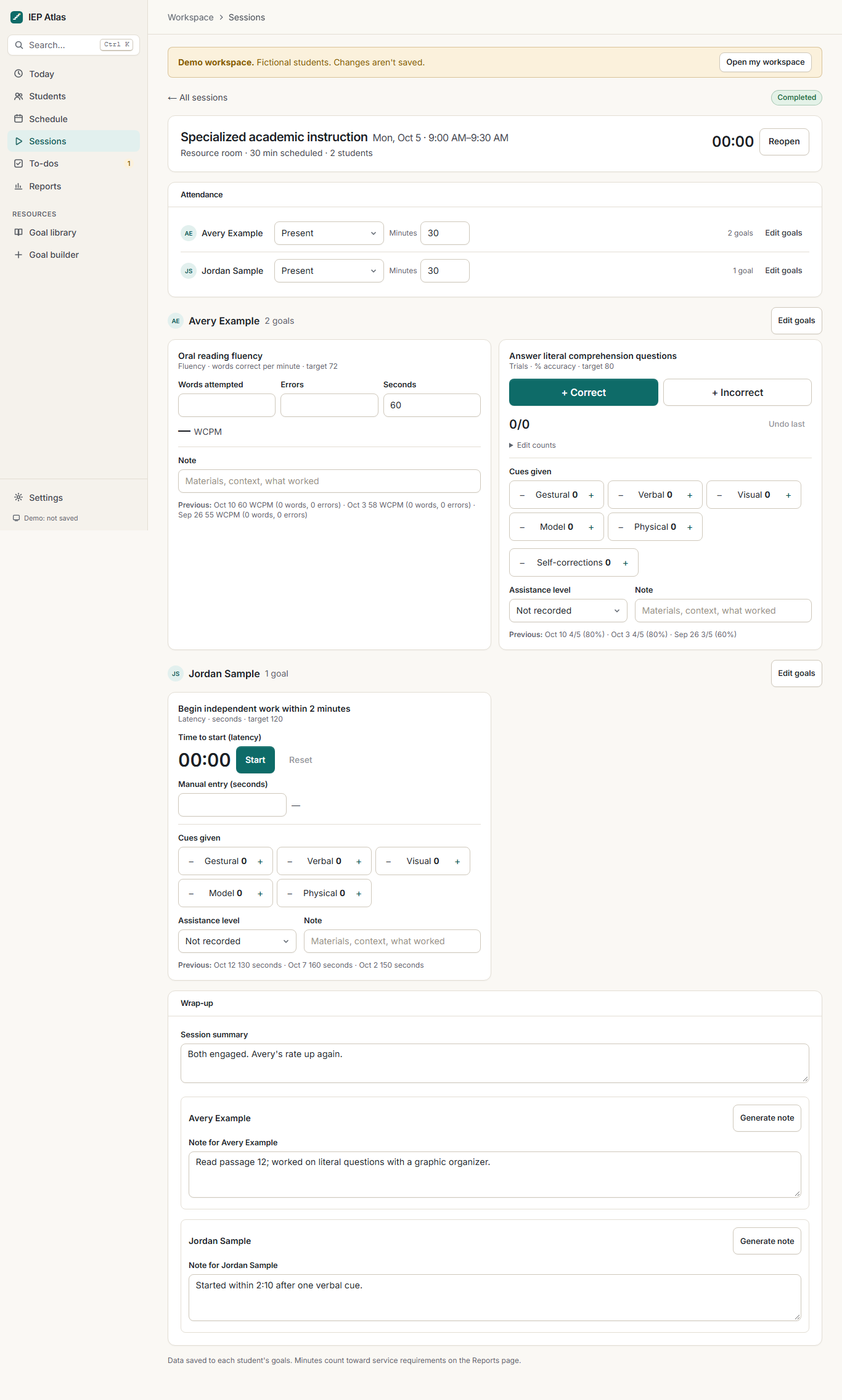
Students, schedules, session data, and progress reports together. It runs in your browser with data stored on your device. Pro adds cloud sync across devices.
Real-time data tracking
Record minutes, cueing levels, assistance, and performance for each goal while the session is happening.
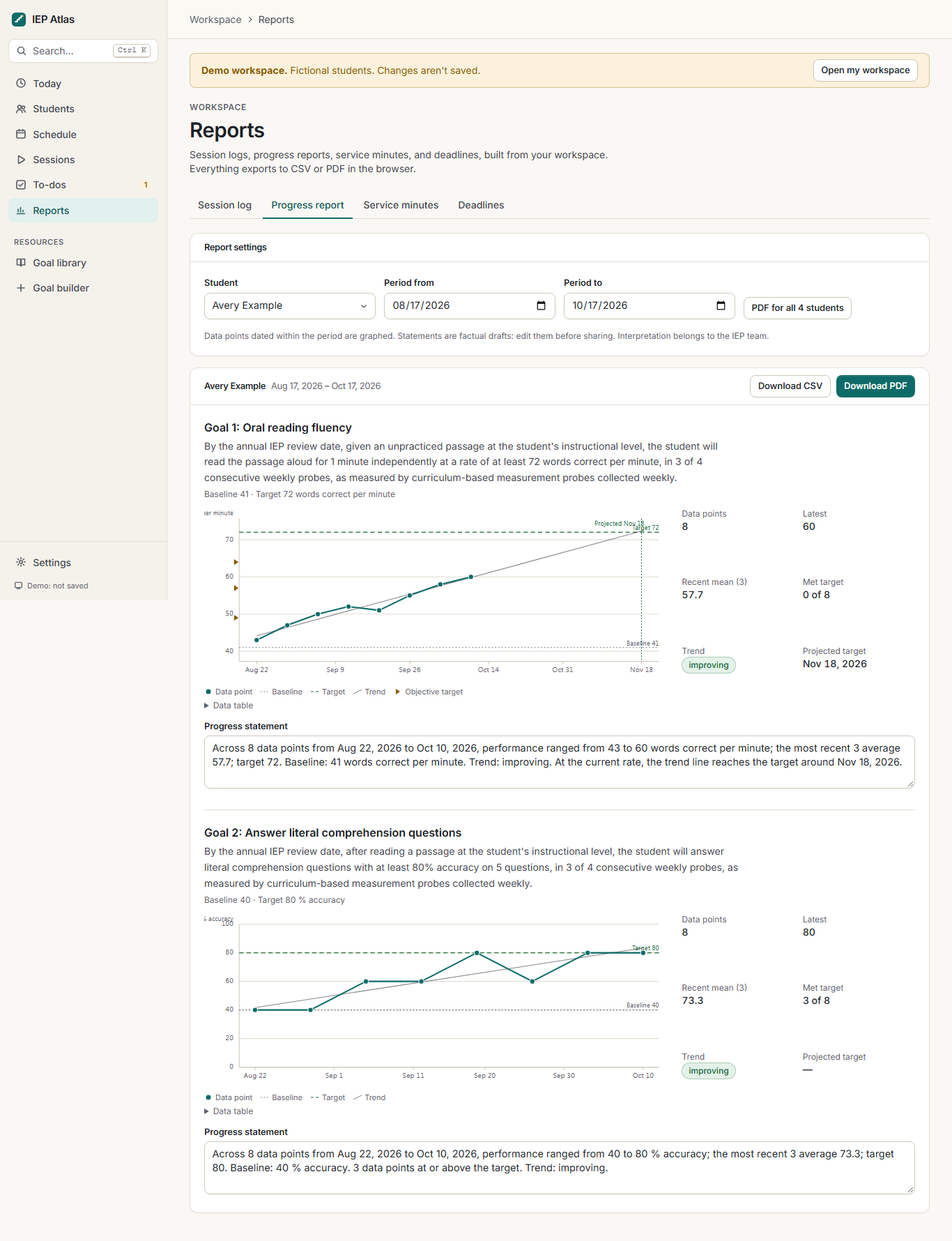
Visual progress graphs
Each goal's session data is plotted against its baseline and target, so trends are visible without a spreadsheet.
Caseload and calendar management
Keep students, services, IEP and evaluation dates, and weekly, monthly, or rotating schedules together.
Medicaid-ready documentation
Export service logs with the fields school-based Medicaid programs commonly ask for. These are support documents, not claims.
Session planning and notes
Plan what each session covers, then write notes next to the data you collected.
To-dos and templates
Track follow-ups and reuse session and note templates so routine documentation takes less time.
The demo uses an invented caseload. Your own workspace starts empty and stays on this device unless you turn on Pro sync. Everything above stays free; Pro adds cloud sync, backups, and saved collections from $9 a month. How the workspace works.
Frequently asked questions
Do I need an account?
No. Searching, customizing goals, checking measurability, generating objectives, downloading data sheets, and the caseload workspace are free and work without signing in. An account is needed only for Pro cloud sync.
Where is my workspace data stored?
On your device, in your browser's storage. Nothing from the workspace is sent to IEP Atlas unless you subscribe to Pro and turn on cloud sync. You can export everything at any time.
Are these goals compliant or approved?
No tool can make that determination. IEP Atlas templates are starting points. A goal is appropriate only when it is individualized from the student's present levels and agreed on by the IEP team. Each template shows its review status.
Should I type my student's name?
In the goal builder, no. Use a generic label like “the student”; drafts stay in your own browser. The workspace is different: it is built to hold a caseload, and that data stays on your device unless you choose Pro cloud sync, which is covered by our student data privacy agreement.
Why do the examples have specific numbers?
The numbers show how a criterion is written. They are illustrative, not recommended targets. Set baselines and targets from your own assessment data.
Does IEP Atlas use AI to write goals?
The builder doesn't call an AI model. Goals are assembled from structured parts with fixed, transparent rules, so the same inputs always give the same goal. Library drafts were AI-assisted and are labeled with their review status.